Ad tracking demo.
One real creative file. A clear measurement trail. See creative delivery, estimated visibility and interaction reports after you choose to allow site analytics.
Your CSV, ready for its next stop.
Find its separator, check the columns, and convert it in your browser. Your files stay on your device.
Try the CSV tool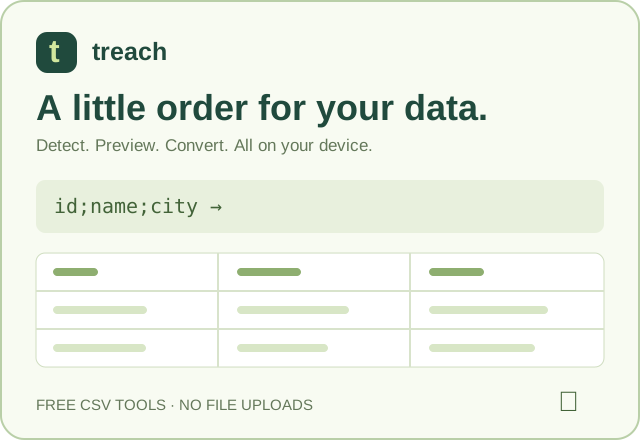
The text link remains available even if the creative graphic cannot load.
What this page has recorded
Site analytics is off. The advertisement still works. No optional ad events, device details or timing reports are sent; ordinary request logs still apply.
Ad loaded
Not recorded
Estimated view
Not recorded
Ad click
Not recorded
Creative error
No error observed
Measurement summary
Not recorded
“Recorded” appears only after our server accepts an event. A load requires a successfully loaded creative image. Loads, estimated views and errors are each reported at most once per page visit. A summary is sent when this tab hides, when you leave, or when you use the button above; at most four summaries are sent per page visit. Clicking the ad opens the CSV tool.
What is measured?
- Creative delivery: an actual image load, a browser image error, or a 15-second observation timeout. When available and covered by your consent, the report includes request/response timing, HTTP status and transferred/body byte counts. A zero byte count is not proof that a browser used its cache.
- Estimated view: the creative has loaded and at least half of its slot intersects the viewport continuously for one second while this tab is visible and Cookie settings is closed. This estimates an opportunity to see the ad; it does not prove attention or account for every obstruction.
- Visibility summary: maximum visible percentage and time with any part or at least half of the slot visible after the creative has loaded, plus delay until the first estimated view. Pending or failed creatives, hidden tabs and open Cookie settings do not add to these exposure measures. The current intersection percentage only describes where the slot sits in the viewport.
- Click: activation of the image or text link, with elapsed time since a load report when available. This does not prove a completed action on the next page.
Which details accompany it?
With site analytics allowed: language, time zone, screen/window dimensions, pixel ratio, orientation, online status, navigation type, creative/slot identifiers and dimensions, event time, and a snapshot of the accepted consent version and time. Only short letters/numbers/underscore/hyphen labels from utm_source, utm_medium and utm_campaign may be included; other URL values are excluded.
The server adds the connecting IP, user-agent and selected request headers. Where a local DB-IP database provides a match, it adds approximate IP-derived location. This is not GPS or a verified identity; VPNs, shared networks and browser privacy settings affect accuracy.
Measurements begin with consent. An image already loaded before a new choice is marked accordingly without importing its earlier timing. Saved consent that was already valid at navigation can cover that request, but unobserved visibility time is never invented. Missing browser measurements remain unavailable.
Records appear in the password-protected dashboard and use its 14-day history. The optional site cookie links activity to this browser, independently of Google Analytics. Ordinary requests still record selected headers and network details when optional analytics is declined. Read the privacy policy or . Declining stops future optional measurements; existing records remain until deleted or expired.